PS 7.7, VS-CODE, tar rar gzip bzip2, network stress test
Events
PS UG Austria Cafe Q4/26
„EntraID Management mit PowerShell“ am 17. November um 17:00 .
Anmeldelink hier: https://events.teams.microsoft.com/event/038a1a51-7bbf-41df-9e71-978876554a72@fb95f5bf-fd14-4b10-82e2-fa43e517c120
Snippets
VS-Code screencast mode and file preview
If you look at that video closely you see two interesting things. First, clicking on a file in file-explorer opens the file but opens the next one as you click on a different one, thats preview mode and the filename is shown italic. If you doubleclick, the file stays open. Second each click generates a red circle at the mouse position, thats screencast mode. Thanks fo Mike F. Robbins i leaned about those features, cool stuff. Read his original blogposts here: https://mikefrobbins.com/2026/10/13/keep-files-open-in-vscode/ https://mikefrobbins.com/2026/10/08/presenter-tip-use-screencast-mode-in-vs-code/
PowerShell 7.7 has been released
November 10th, the PowerShell Engineering Team released PowerShell 7.7. There is one new CmdLet and a couple of smaller extensions to existing ones, also security hardening, better understanding and quality improvements. New-TemporaryDirectory creates a Temp Directory in $env:Tempdir (on a mac), use it with the prefix parameter (as shown below) lets you better identify the created object.

If you are interested in other changes, read the original blogpost here https://devblogs.microsoft.com/powershell/announcing-powershell-7-7/.
The PSCompression module
The shipped support for zip is neat, but there are other formats which are much more used on x-plat systems. gzip, bzip2, tar and rar-files are the most common ones. The PSCompression module solved that problem, you can find it on the PowerShell Gallery and on Github. https://github.com/santisq/PSCompression. For a nice introduction go to Harm Veenstras Blog and learn how to use it https://powershellisfun.com/2026/10/09/using-the-powershell-pscompression-module-to-create-or-extract-zip-tar-rar-gzip-bzip2-etc/
Network performance testing from the commandline
Changed the network and performance is down ? These times should be over. With Invoke-NetStress you can test network connectivity, bandwidth, upload and download speed and so forth. If you deal with network, use this CmdLet and play around with it.
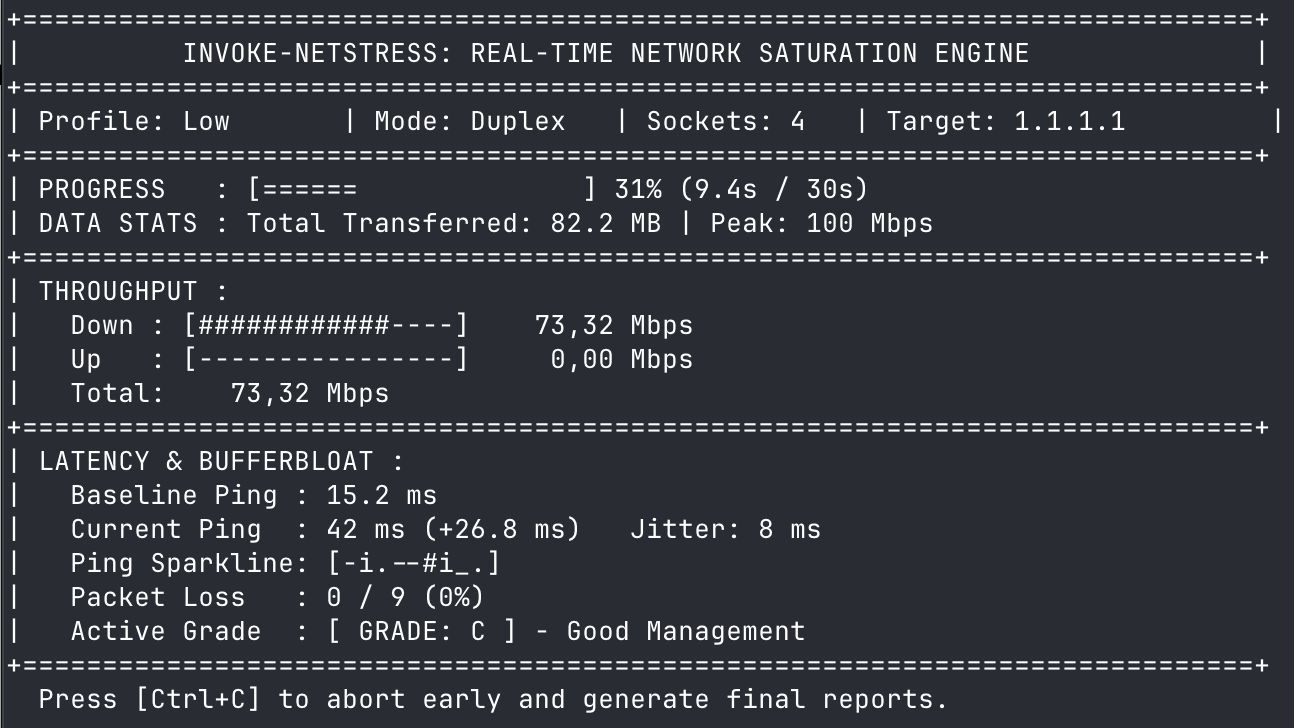
Thanks also to Harm Veenstra for the hint, you find the GitHub repo here https://github.com/AlphaMvge/Invoke-NetStress
Enjoy trying and testing ! R.
Foto von Glenn Carstens-Peters auf Unsplash